




SysInfo SQL File Viewer Tool for Windows
- Demo
- 4.5
- 7
- V18.0.0
Download for Windows
View an ad to download for free

- SysInfoTools
- More programs (77)
Open and preview healthy or corrupted SQL MDF and NDF files without installing SQL Server.
SysInfo SQL File Viewer is a utility designed to open, read, and preview SQL Server database files without requiring Microsoft SQL Server. It helps users inspect MDF and NDF files, including healthy, corrupted, inaccessible, or orphaned databases. The software displays database components such as tables, columns, triggers, functions, keys, indexes, and other supported objects, allowing users to examine available data through a simple interface.
The viewer is useful when a SQL database file cannot be opened through its usual environment or when SQL Server is not installed on the computer. It supports MDF files created by multiple Microsoft SQL Server versions, including SQL Server 2000, 2005, 2008, 2012, 2014, 2016, 2018, and 2019, as listed in the product information. Users can add a healthy or damaged MDF file and inspect its contents without setting up a SQL Server instance.
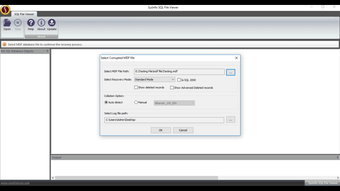
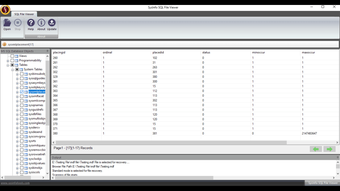
For corrupted or inaccessible files, SysInfo SQL File Viewer provides scanning and recovery modes to help users access available database information. The listed modes include Standard, Advanced, and Deep, allowing users to select an approach according to the condition of the file. After scanning, the software presents the database structure in a tree view, making it easier to browse tables and other supported items. The tool can also display deleted records located in the database's trash folder, where available.
The software is intended for viewing and analysis rather than saving recovered data in its free edition. Users can preview database contents and evaluate the results before choosing an upgraded version. According to the product comparison, saving all data and exporting recovered or deleted items requires the full version. Check results before use.
SysInfo SQL File Viewer is designed with a straightforward graphical interface for both technical and non-technical users. The general workflow is to install and launch the application, browse to the required MDF file, choose a scanning or recovery mode when needed, and review the results in the preview panel. The software does not impose a stated file-size limitation, so it can be used to inspect large-sized SQL database files, although processing time may depend on file size, corruption level, and system performance.
The product supports Windows 11, Windows 10, Windows 8.1, Windows 8, Windows 7, Windows Server 2008, Windows Server 2012, and other Windows versions listed by the vendor, including supported 32-bit and 64-bit systems. Its stated system requirements include a Pentium-class processor, 8 GB of RAM, with 16 GB recommended, and a minimum disk-space requirement of 512 GB.
SysInfo SQL File Viewer is available in Single, Admin, Technician, and Enterprise editions. The free version is intended to let users open and preview MDF and NDF data, while the licensed version provides additional options for saving information. Users should retain a backup of the original database before scanning or attempting recovery, especially when working with damaged files.
Whether you need to inspect SQL tables without SQL Server, review a database that has become inaccessible, or preview information from a corrupted MDF or NDF file, SysInfo SQL File Viewer offers a convenient way to examine the data. Its support for multiple SQL Server versions, structured previews, scanning modes, and deleted-record viewing makes it a practical option for checking SQL database contents before deciding on further recovery steps.
Loading…
App specs
Developer
- SysInfoTools
- More programs (77)
License
Demo
Version
18.0.0
Latest update
Platform
Windows
OS
Windows 95
Language
English
Downloads
7
Last month's downloads
- 7
Size
2.17 MB
SysInfo SQL File Viewer Tool for PC
- Demo
- 4.5
- 7
- V18.0.0
Download for PC
View an ad to download for free
User reviews about SysInfo SQL File Viewer Tool
Have you tried SysInfo SQL File Viewer Tool? Be the first to leave your opinion!
Add reviewTop downloads File managers for Windows
Top downloads File managers for Windows
Top downloads File managers for Windows

Zapya
Easy file-transfer tool

MiniTool Partition Wizard
A free partition management program for Windows

Samsung USB Driver for Mobile Phones
A free tool for transferring Android files

Graphics Driver for Windows 32 & 64 bit
Download Graphics Driver for Windows 32 & 64 bit

Hasleo Disk Clone
Migrate Windows apps and clone disks
Related topics about SysInfo SQL File Viewer Tool
Latest articles

Street Fighter is the highest-grossing film of the week, but it’s a failure next to a documentary and the big Spanish hit of the moment

Anime manages to win over the very last holdout: Tom Cruise

Call of Duty: Black Ops 6 review buzz rises, but there’s a catch

Star Wars: Taika Waititi’s movie is now on ice

Bill Gates updates his warning: cyberattacks and bioweapons could kill billions
Laws concerning the use of this software vary from country to country. We do not encourage or condone the use of this program if it is in violation of these laws. Softonic may receive a referral fee if you click or buy any of the products featured here.